
Accessibility + Talent Llama
Everyone deserves an equal chance to shine - that’s why accessibility is built into how we designed interviews at Talent Llama. While Talent Llama is primarily a voice-driven AI screening tool, we’re committed to providing accessible options for applicants with disabilities.
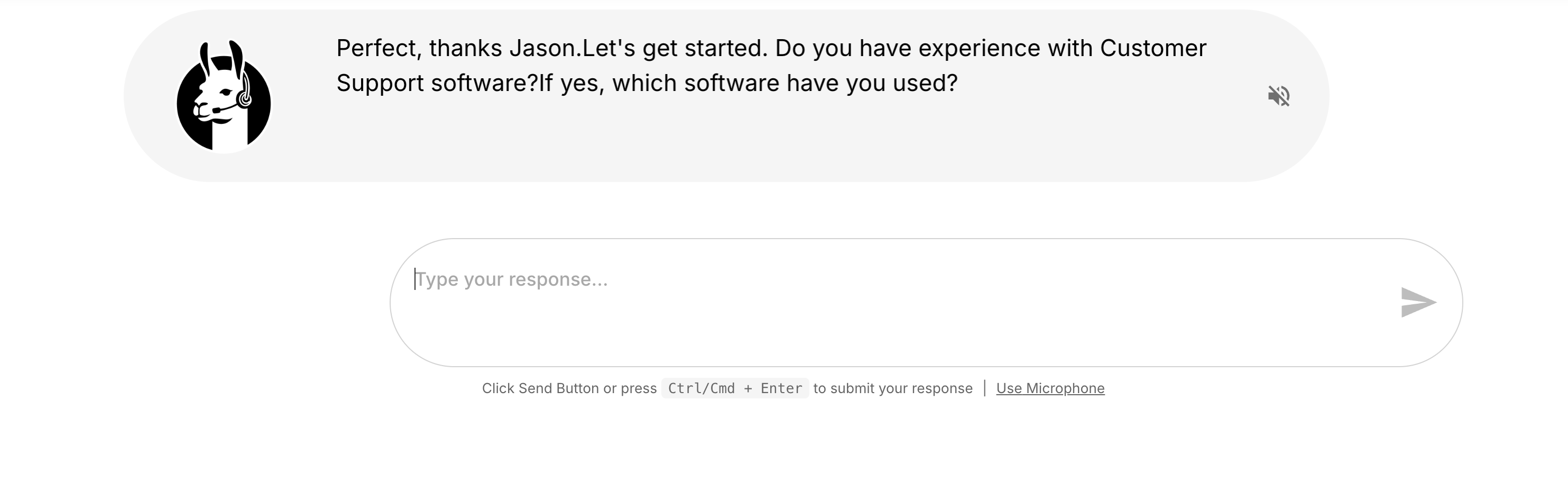
How Talent Llama Supports Accessibility
Visual Accessibility
For applicants who are blind or have low vision, Talent Llama is compatible with most screen reader technologies. Candidates can respond verbally without needing to adjust any account settings.
Text Accessibility
For applicants who are nonverbal or have speech impairments, Talent Llama also supports text-based interview responses. This feature isn’t enabled by default but can be easily activated in your Admin Settings.
Activating Text Accessibility
To enable Accessibility Options, open the Campaign you’d like to update, click Settings in the left-hand menu, and scroll to the Accessibility section. Toggle Allow Typed Responses to turn it on for that Campaign.
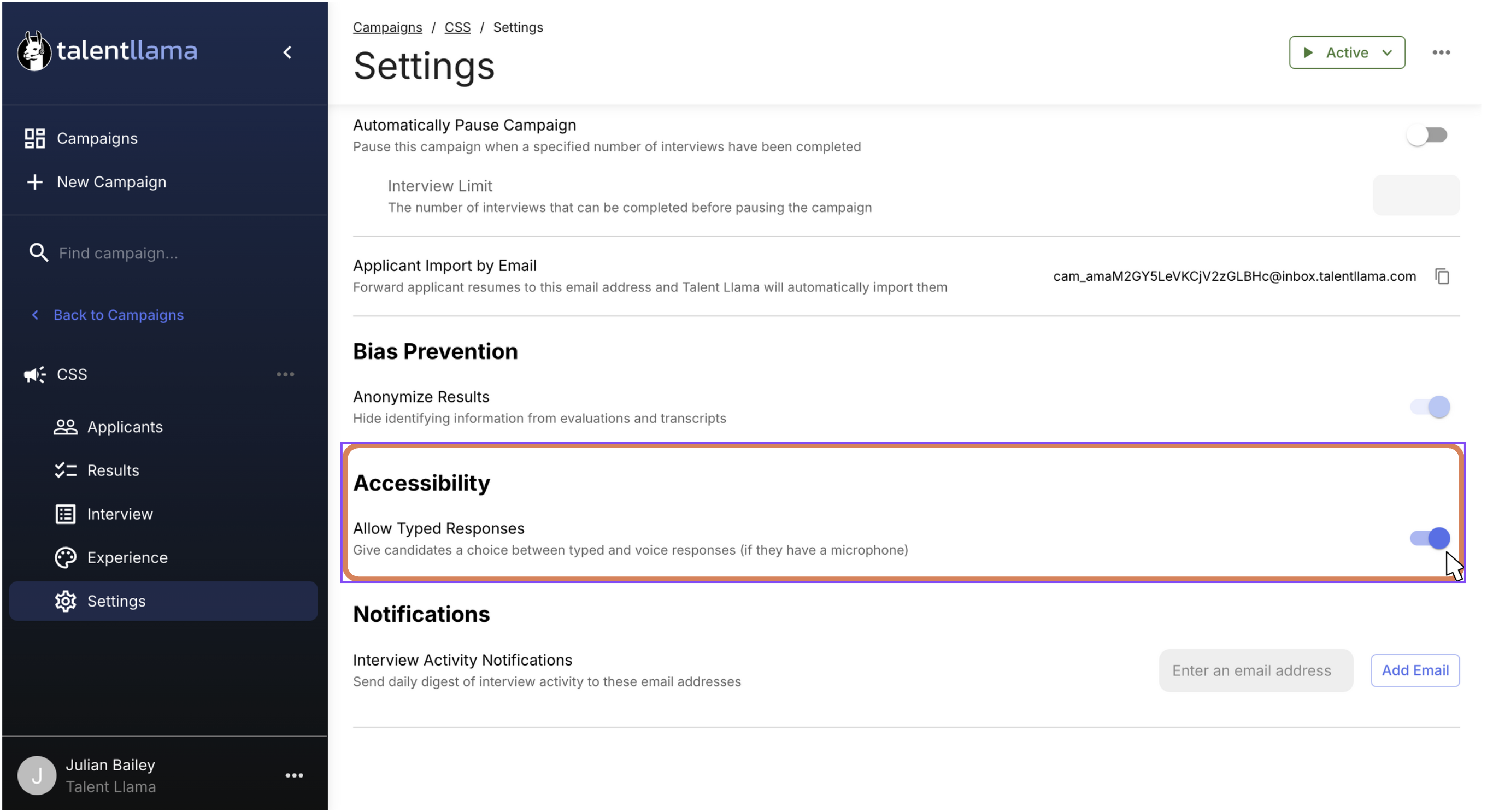
Note: You will need to turn this on before you launch the Campaign. It cannot be switched on if candidates interviews are in progress or completed.
Got ideas for making Talent Llama more accessible? We’d really love to hear them. Drop us a note at support@talentllama.com and tell us what would help. We can’t promise every feature, but we’re always working to make interviews easier and more inclusive for everyone. ❤️